Free on iPhone and iPad

Everyone’s schedules
and to-dos
on one screen

Edit on your phone. Show it on a tablet or TV. Family, friends, study groups and tutoring, all on the same board.

Download on the App Store Coming soon to Google Play

Free to start No ads iPhone · iPad

The Peekaboard board on a TV, showing four people's schedules and to-dos in separate columns
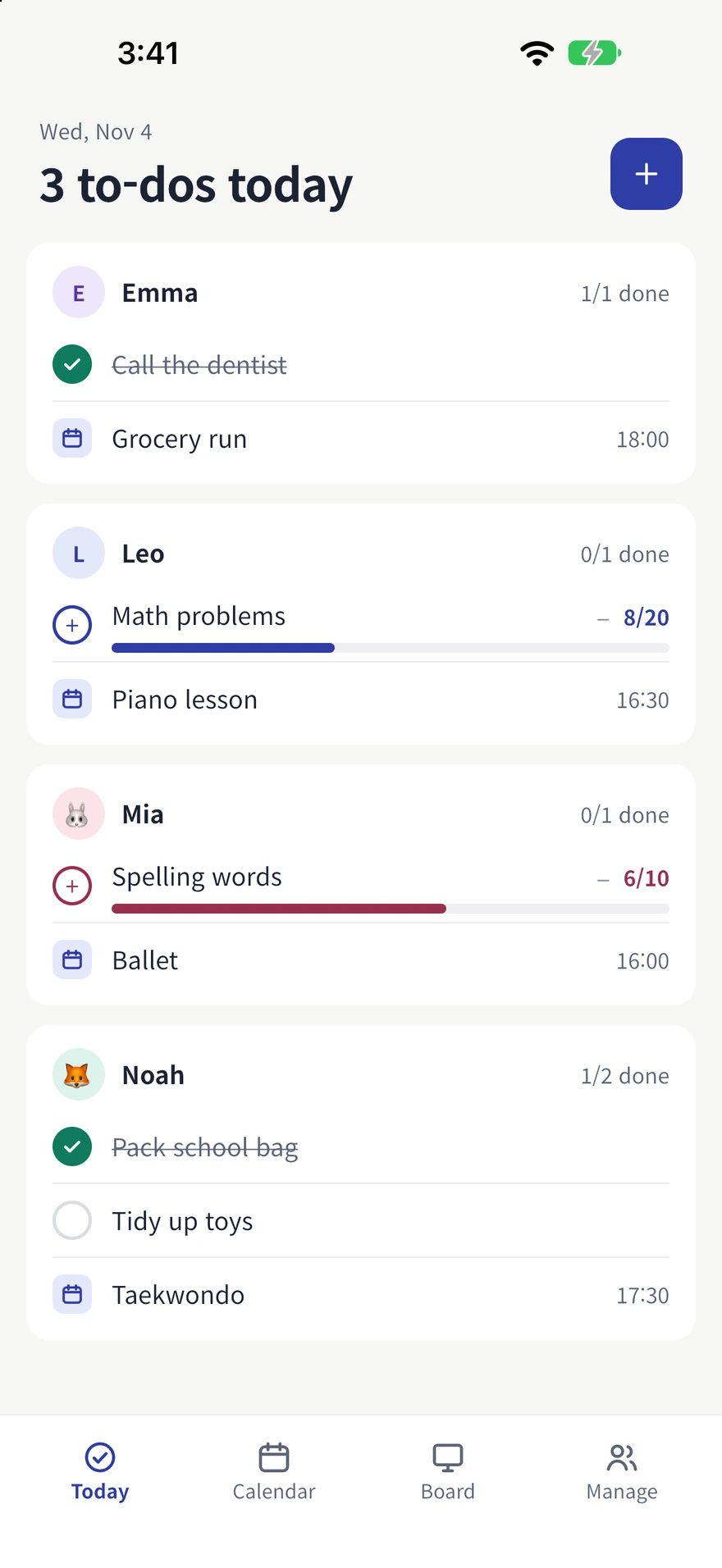
Checking today's to-dos by person on the Peekaboard phone app
Who it’s for

The more people share the board,
the clearer the day gets

Invite only the people you share your day with, and see each other’s today on one screen.

  • Family

    Mornings and academy runs, on one screen.

  • Friends

    Set today’s goals and check in together.

  • Study group

    Homework and counted to-dos, filled in together.

  • Tutoring

    Assignments and lesson times, seen by student and tutor.

Features

Gather it, edit it, leave it up

People, schedules and to-dos on one board. Edit on your phone, and watch it together on the big screen.

01

Everyone at a glance

Each person has their own colour and initial avatar, so you can tell whose day is whose at a glance.

  • A different colour and initial avatar for each person
  • Add people without a phone, like kids, to the board
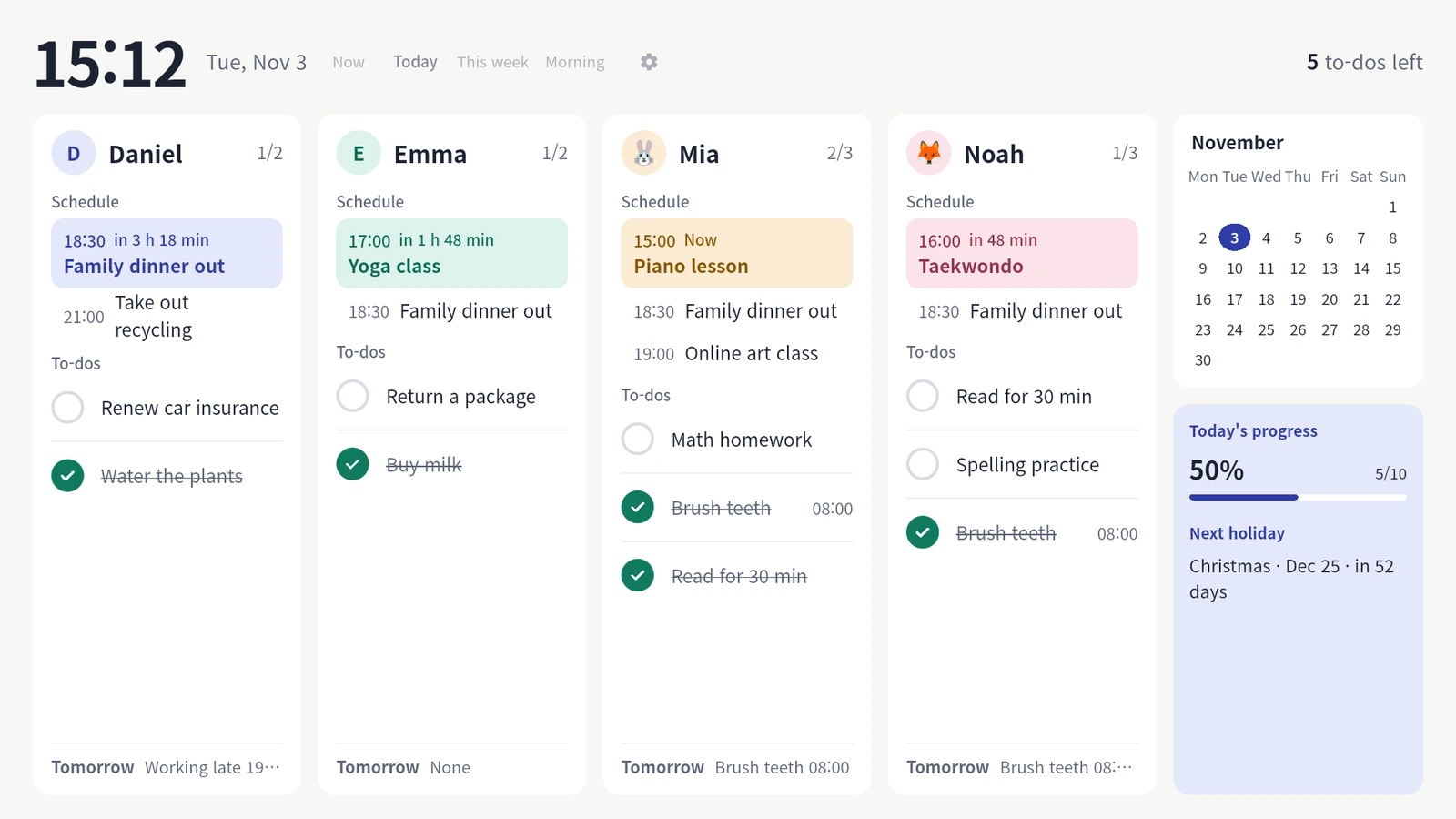
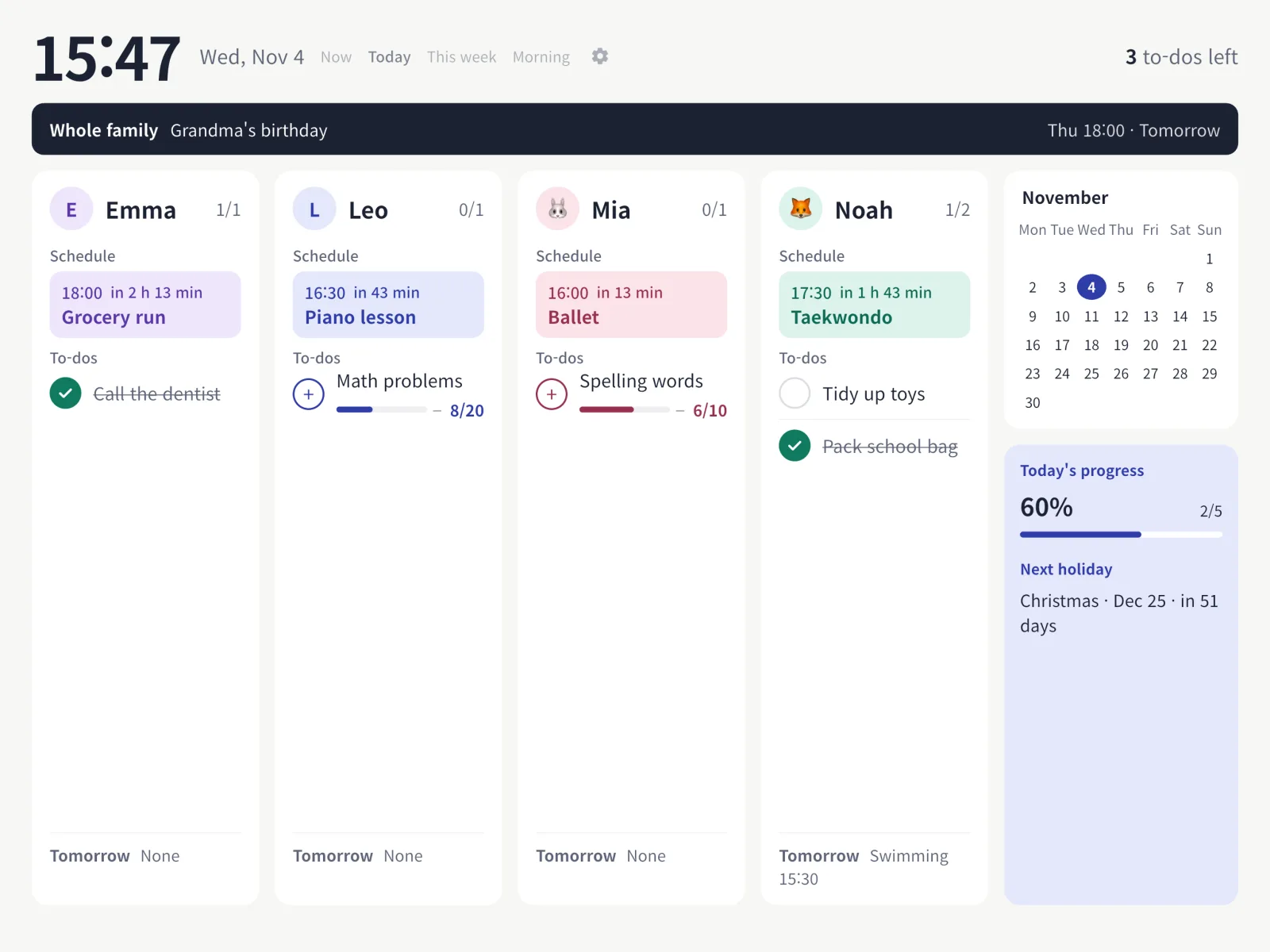
Today view on a TV board, with each person marked by a different colour and initial
02

Schedules and to-dos together

Events with start and end times sit next to light to-dos. Set a weekly plan once and it keeps going.

  • Four kinds of to-dos — check only, set time, count up, weekly goal
  • Repeat by weekday, skip a single day, skip Korean public holidays
  • Routine sets put morning and bedtime routines on several people at once

Bring your own calendar

Import the calendar on this device (iCloud and others) or a private iCal (ICS) address. Show busy times only, or titles too.

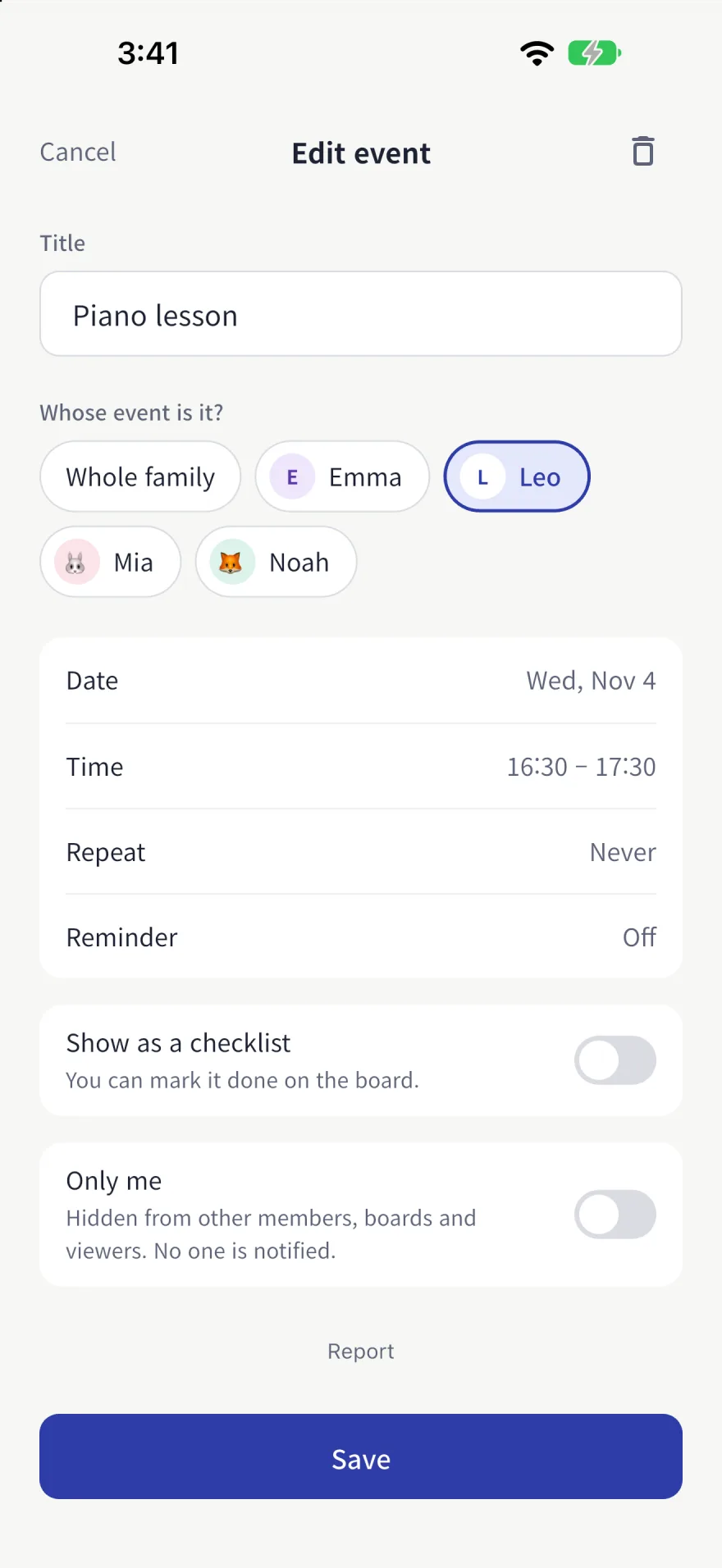
Editing an event's title, date, time, repeat and reminder settings on the phone
Today's to-dos by person, including counted to-dos, on the phone
03

Five board views

Now, Today, This week, Monthly and Morning briefing. Put to-dos left, time until the next event and today’s progress on the big screen.

  • Night screen, automatic switching by time of day, burn-in protection
  • Check off by touch on a tablet, with the remote on a TV
  • Now
  • Today
  • This week
  • Monthly
  • Morning briefing
The board on a tablet, showing the whole family's schedule, to-dos and today's progress
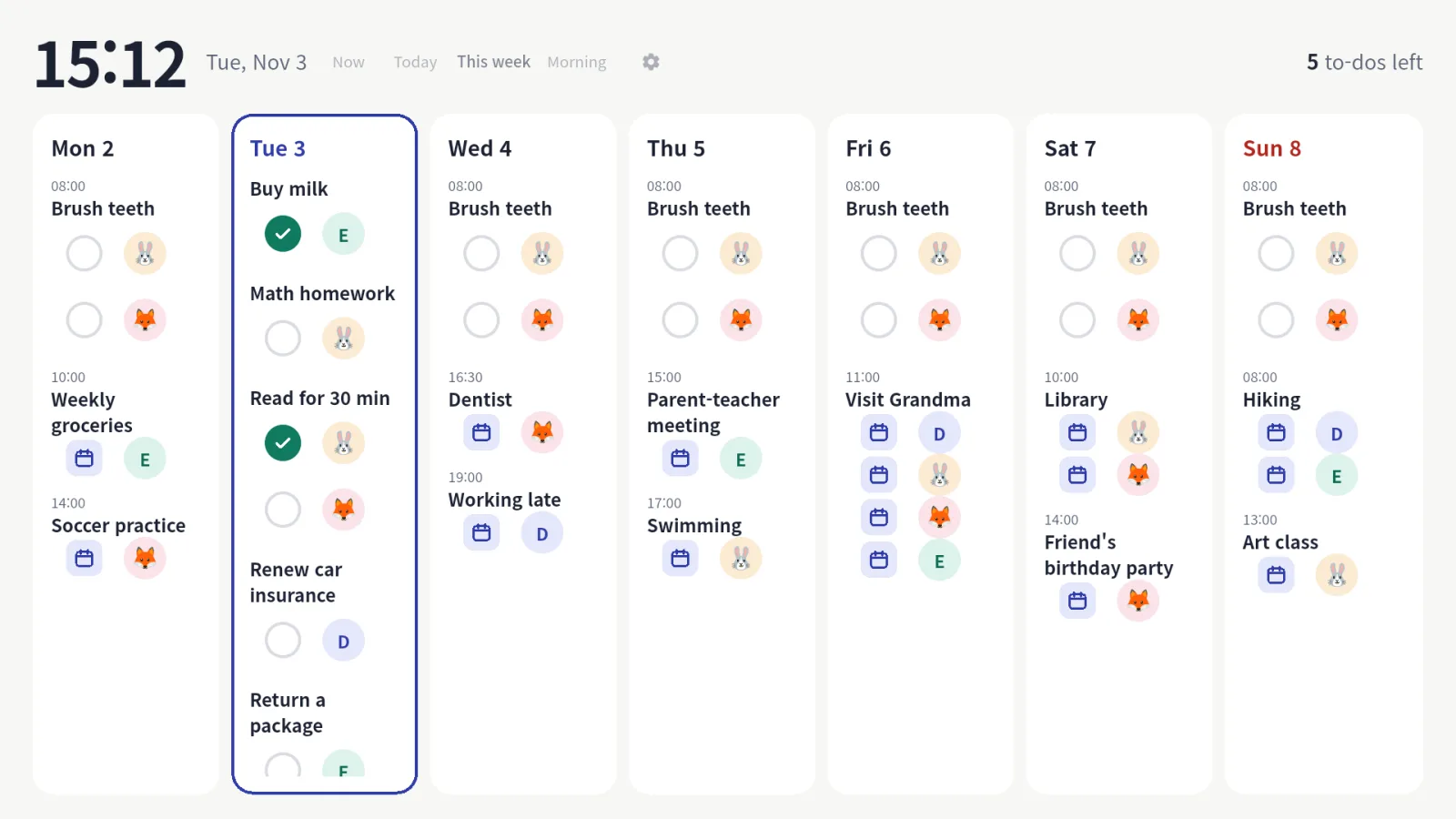
This week's board on a TV, laid out day by day from Monday to Sunday
04

Connect a screen with a QR code

Point your phone at the QR code on the TV or tablet. No password to type on the TV.

  • Invite people by link or code — they join once they accept
  • Reminders before events and when to-dos start, set per device
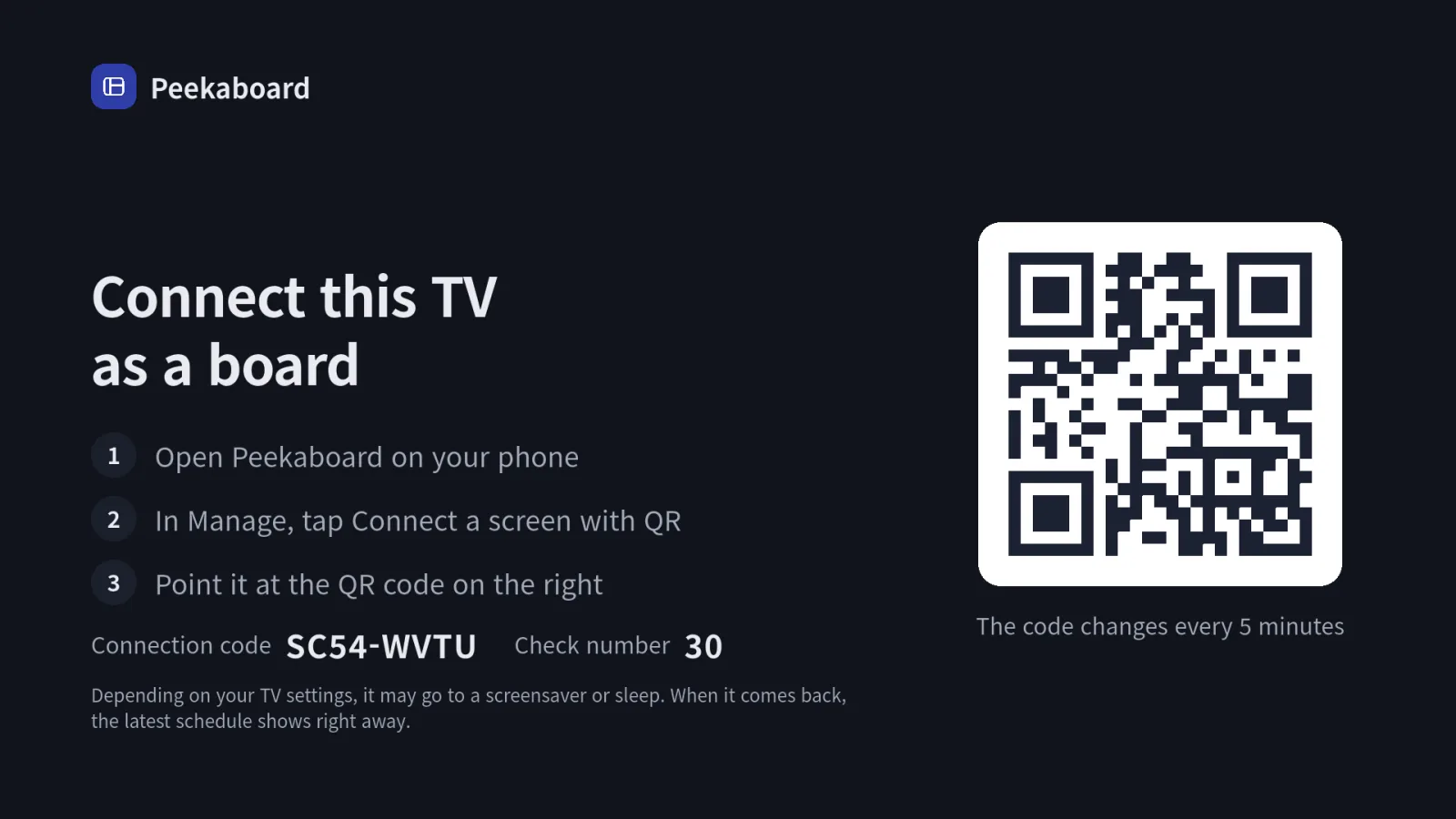
The TV pairing screen with a QR code and three steps to connect with a phone
Getting started

Three steps is all it takes

Make it on your phone, put it on the big screen. It doesn’t take long.

  1. Install on your phone and continue with Apple or Google

    Download Peekaboard from the App Store and sign in.

  2. Create a space and add people, schedules and to-dos

    Start from a family, friends, study group or tutoring template.

  3. Scan the QR on your tablet or TV with your phone

    The board appears on the big screen. You keep editing on your phone.

Devices

Where you can use it

Edit on your phone, and leave it up on the tablet or TV at home.

iPhone · iPad

Available now
  • iPhone
  • iPad
Download on the App Store

Android

Coming soon
  • Android phones
  • Tablets
  • Android TV

Coming soon to Google Play.

There’s no Apple TV app yet.

Privacy

Your data, handled with care

This is where your family’s day lives, so we collect only what’s needed — and you can delete it yourself at any time.

No ads

We don’t run ads. Nothing gets in the way of your board.

Delete your account and data in the app

Manage → My account → Delete account removes it right away.

Shared only with people you invite

Only people who accept your invite can join. You can report and block inside the app too.

Made for adults and guardians aged 13 and over.

FAQ

Five common questions

Is it free?
Yes, you can download Peekaboard for free on the App Store.
What do I need to put it on a TV?
Install the Peekaboard app on your Android TV and a pairing screen appears. Scan the QR code with your phone and you’re done. There’s no Apple TV app yet.
Does my child need a phone?
No. You can add people without a phone to the board.
Can I see my existing calendar?
Import the calendar on your device or a private iCal address. You can show busy times only.
How do I delete my data?
Go to Manage → My account → Delete account in the app.

For anything else, email support@hblood.co.kr.

Start sharing one screen today

Free to start on iPhone and iPad.

Download on the App Store Coming soon to Google Play